
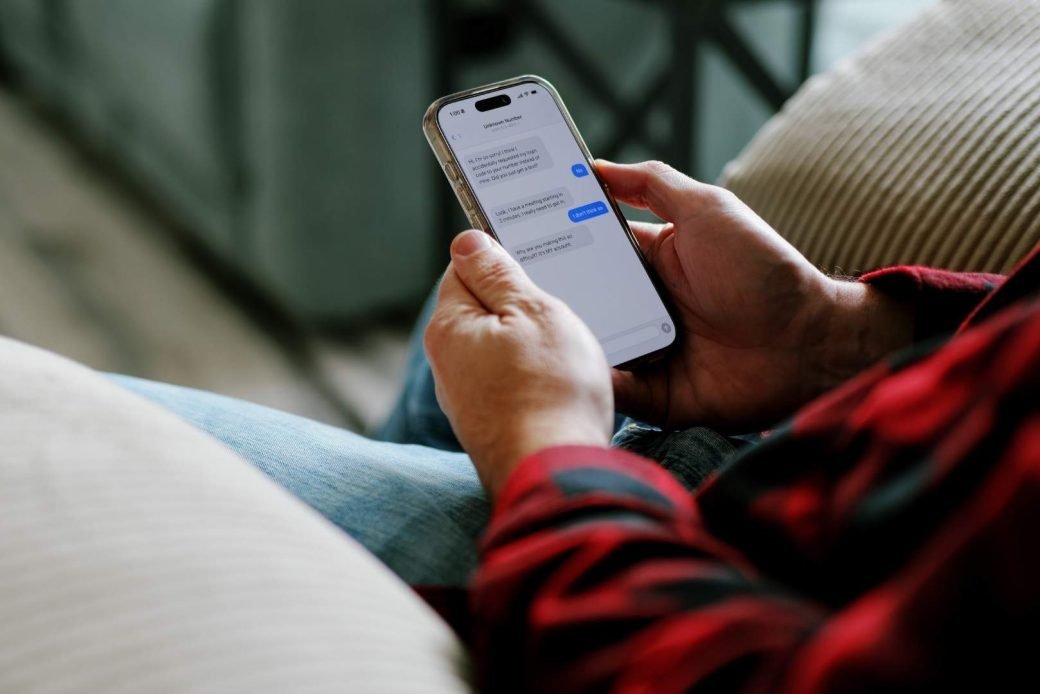
Your phone buzzes: “CONGRATULATIONS! You have won a $500 gift card — tap here to claim!” You never entered a giveaway, the message came from a random 10-digit number at 3 in the morning, and the store name sounds invented. Welcome to spam texts. Learning to block spam texts takes about ten minutes — this guide covers the built-in tools on iPhone and Android, the reporting number that actually helps, and carrier shields.
Why Spam Texts Exploded (And Why Reporting Matters)
Spam texts surged because texting is cheap and nearly everyone reads their messages. Most junk texts rely on sender ID spoofing — scammers disguise the “from” line so a message looks like it came from your bank or a local number. Blocking helps you personally, but scammers can always borrow a new number. That is why Report Junk matters even more than blocking: it sends the message to your carrier and to Apple or Google, whose teams use those reports to kill spam campaigns at the source. You will also see texts from short codes — 5- or 6-digit numbers companies use for alerts and promotions. Scammers rent their own too, so treat unknown short codes with the same suspicion as random numbers.
Block Spam Texts on iPhone
1. Block and Report Junk
- Open the suspicious message in Messages.
- Tap the sender’s number at the top, then info.
- Tap Block Caller, and for unknown senders also tap Report Junk and confirm Delete and Report Junk.
2. Turn On Filter Unknown Senders
In Settings > Messages, switch on Filter Unknown Senders. Messages from non-contacts land in a separate Unknown Senders list with no buzzing or banners. Glance at that tab occasionally — a delivery notification or a friend’s new number can end up there.
3. Manage Your Blocked Senders List
Review every blocked number under Settings > Messages > Blocked Contacts (swipe left to unblock). The list syncs through Messages in iCloud, so your iPad and Mac inherit the same blocks.
Block Spam Texts on Android
1. Block and Report Spam in Google Messages
- Open the spam conversation in Google Messages.
- Tap the three-dot menu, then Block.
- Keep “Report spam” checked — this helps Google and your carrier recognize the campaign. Then tap OK.
To review blocked numbers later: profile icon, then Settings > Spam & blocked > Blocked numbers.
2. Switch On Spam Protection
In Google Messages, tap your profile icon > Settings > Spam & blocked and turn on Spam protection. Google screens incoming messages against known-spam patterns and files suspicious ones away. Anything caught sits under Spam & blocked, where you can restore the occasional false alarm.
3. Samsung Messages Differences
On Samsung Messages, long-press a spam conversation, tap Block, and choose report spam. Its filter lives under Settings > Block numbers and spam > Caller ID and spam protection — switch it on.
The Magic Number: Forward Spam to 7726
7726 spells SPAM on a phone keypad — a universal reporting line run by the mobile industry. Forward a spam text to 7726 and it reaches your carrier’s security team, who can trace the actual sender behind the spoofed number. It works in the US, UK, and Canada; Australia’s equivalent is forwarding to 0429 999 888 (run by the ACMA). The carrier usually texts back asking for the sender’s number — reply with it. Five seconds of effort, multiplied by millions of reports, is how spam networks get shut down.
Carrier-Level Spam Shields
Your phone’s tools are the front line; your carrier is the artillery behind it. Major US carriers offer free services worth switching on: Verizon Call Filter, AT&T ActiveArmor, and T-Mobile Scam Shield. These mostly target spam calls but also flag suspicious text-sending numbers. UK, Canadian, and Australian carriers offer their own versions — check your carrier’s app for a free option.
What to NEVER Do With a Spam Text
Spam texting is a volume game, and a careless tap tells the scammer your number is alive:
- Never tap links — they can lead to phishing pages that harvest passwords or install malware.
- Never reply, even angrily — any response confirms a real human reads that number.
- Only reply STOP to verified senders — a business you signed up with will honor it. Sent to a random scammer, it just proves you are real.
- Never share codes or personal details — real banks never ask for passwords or verification codes by text.
- Do not call the number back — some spam numbers connect to premium-rate lines.
Golden rule: silence, block, report. In that order.
Report Spam to the Authorities
Beyond 7726, your country’s watchdog collects complaints that drive enforcement: the FTC in the US (reportfraud.ftc.gov), the ICO in the UK, the CRTC’s Spam Reporting Centre in Canada, and the ACMA in Australia.
A Note on RCS Spam
Texting is shifting from SMS to RCS — the upgraded messaging in Google Messages and newer iPhones. The good news: spam filtering works the same there. Block, report spam, and the toggles above all apply to RCS chats too.
Frequently Asked Questions
Does blocking a spam text number actually stop spam?
It stops that number — but scammers rotate numbers constantly. Reporting matters more: Report Junk, Report spam, and forwarding to 7726 feed spam campaigns into databases that protect everyone.
Is it safe to reply STOP to spam texts?
Only to senders you recognize and trust — legitimate businesses honor STOP requests. For unknown senders, any reply confirms your number is active.
Why do spam texts keep coming even with filters on?
Sender ID spoofing means every message can wear a fresh disguise, so no filter catches everything. Keep spam protection on and keep reporting — most people see a dramatic drop within a few weeks.
Can spam texts hack my phone if I just open them?
Simply opening a text cannot install malware on a modern, updated phone — the danger comes from tapping links inside it. Read with your eyes, not your fingers.
Spam texts feel like an unstoppable tide, but the tide is beatable. Set up your phone’s built-in filters, make reporting a two-second habit, and never feed the spammers a reply. Your phone will go back to buzzing for people you actually like.
Related Guides
- How to Spot a Phishing Email: 9 Red Flags Everyone Should Know
- How to Schedule Text Messages on iPhone and Android (Never Miss a Birthday Text Again)
- How to Stop Apps From Tracking You on iPhone and Android
- How to Recover Deleted WhatsApp Messages on Android and iPhone
- How to Delete Your Google Search History on Any Device
Pingback: How to Set Up Parental Controls on iPhone, Android, and Windows -
Pingback: How to Spot a Phishing Email: 9 Red Flags Everyone Should Know -
Pingback: How to Schedule Text Messages on iPhone and Android (Never Miss a Birthday Text Again) -
Pingback: How to Recover Deleted WhatsApp Messages on Android and iPhone -